Read the Basic report
What each part of a call’s short report says, and where the full audit is.
- Watch
- Try it
The voice is generated. Subtitles are on; switch them off in the player.
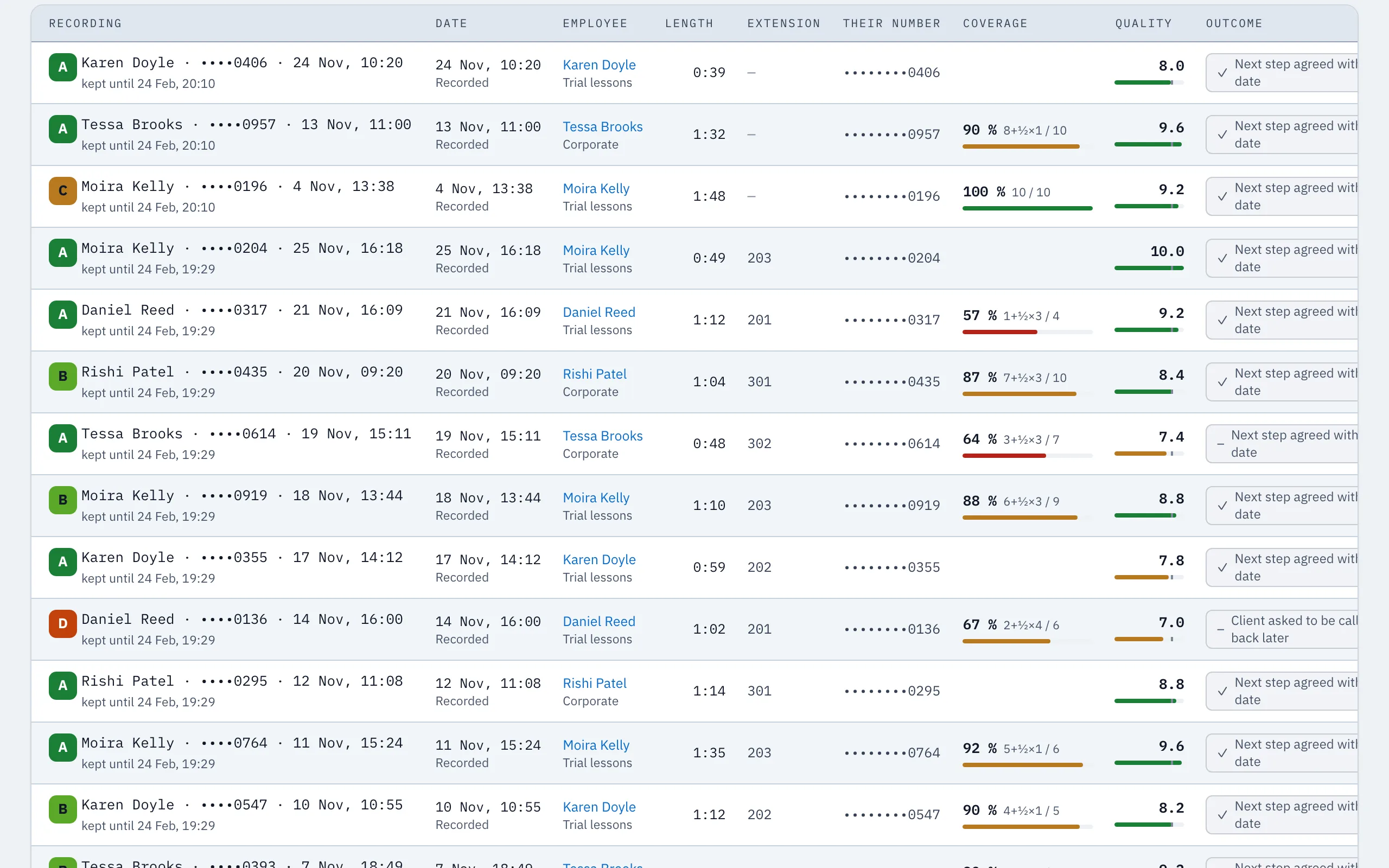
Click the highlighted spot, as you would in the app. After the first click, the arrow keys work too.
Steps
-
In Recordings, click a call to open it.
-
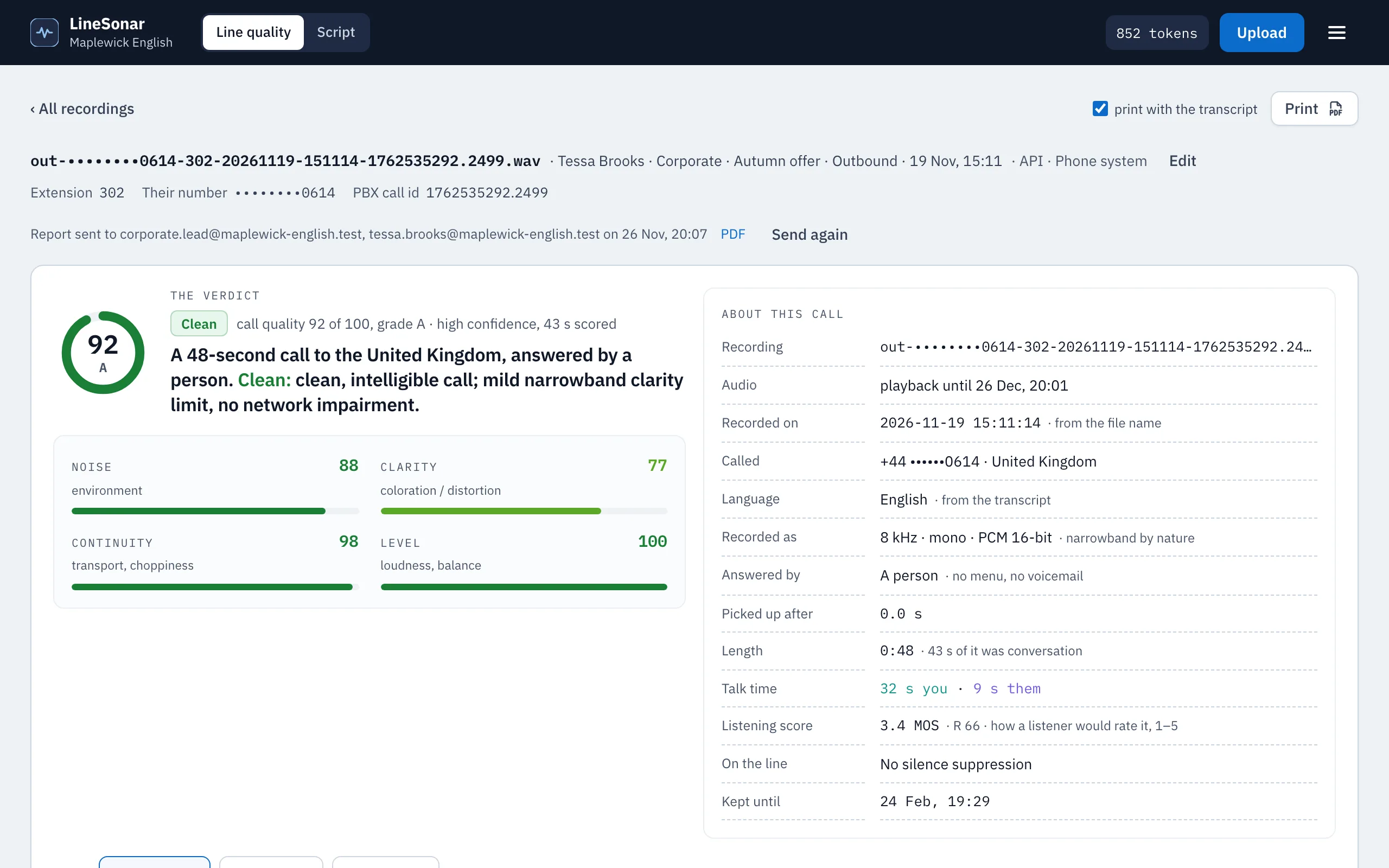
At the top, switch to Script. A call checked against your playbook opens on its Basic report.
-
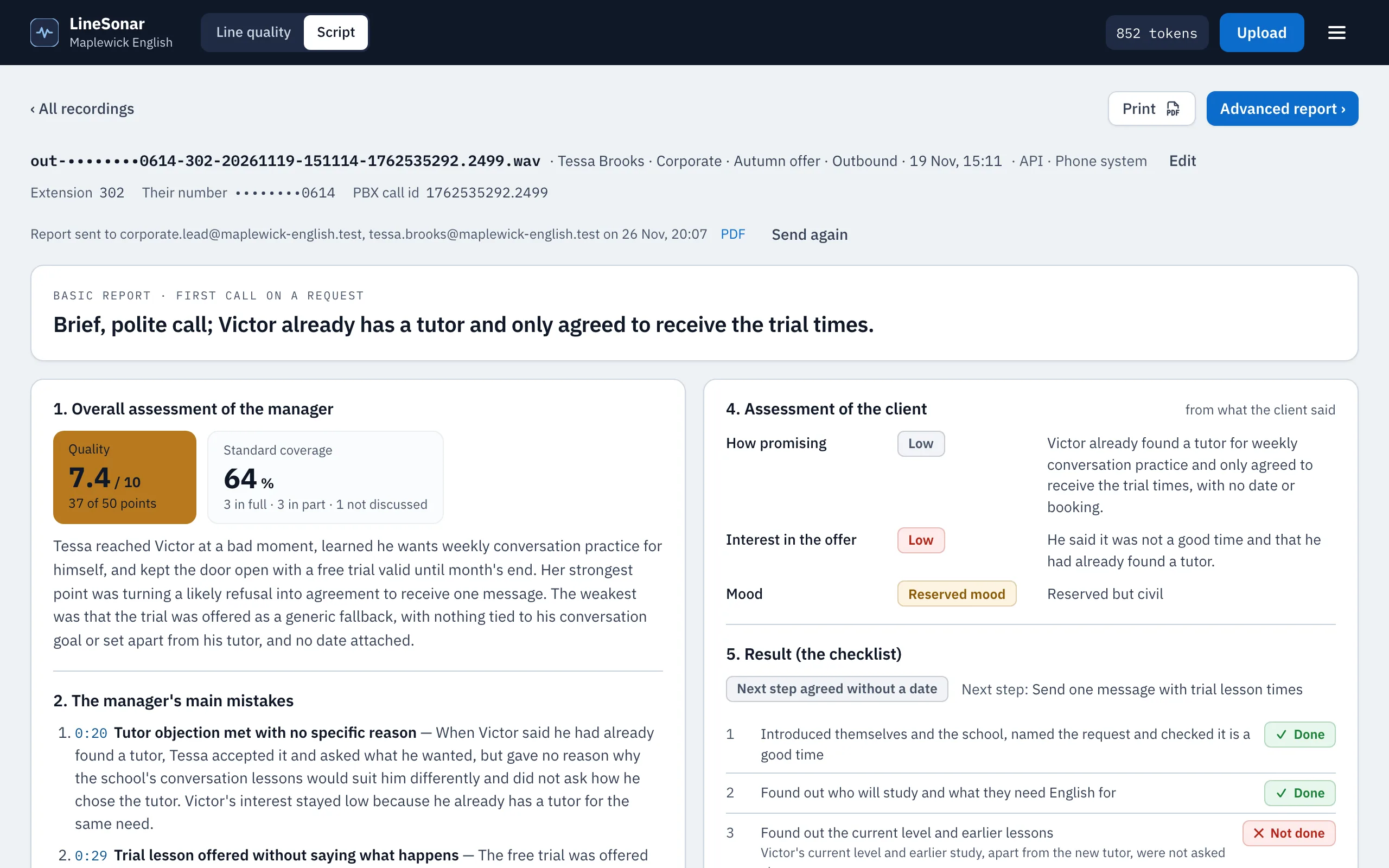
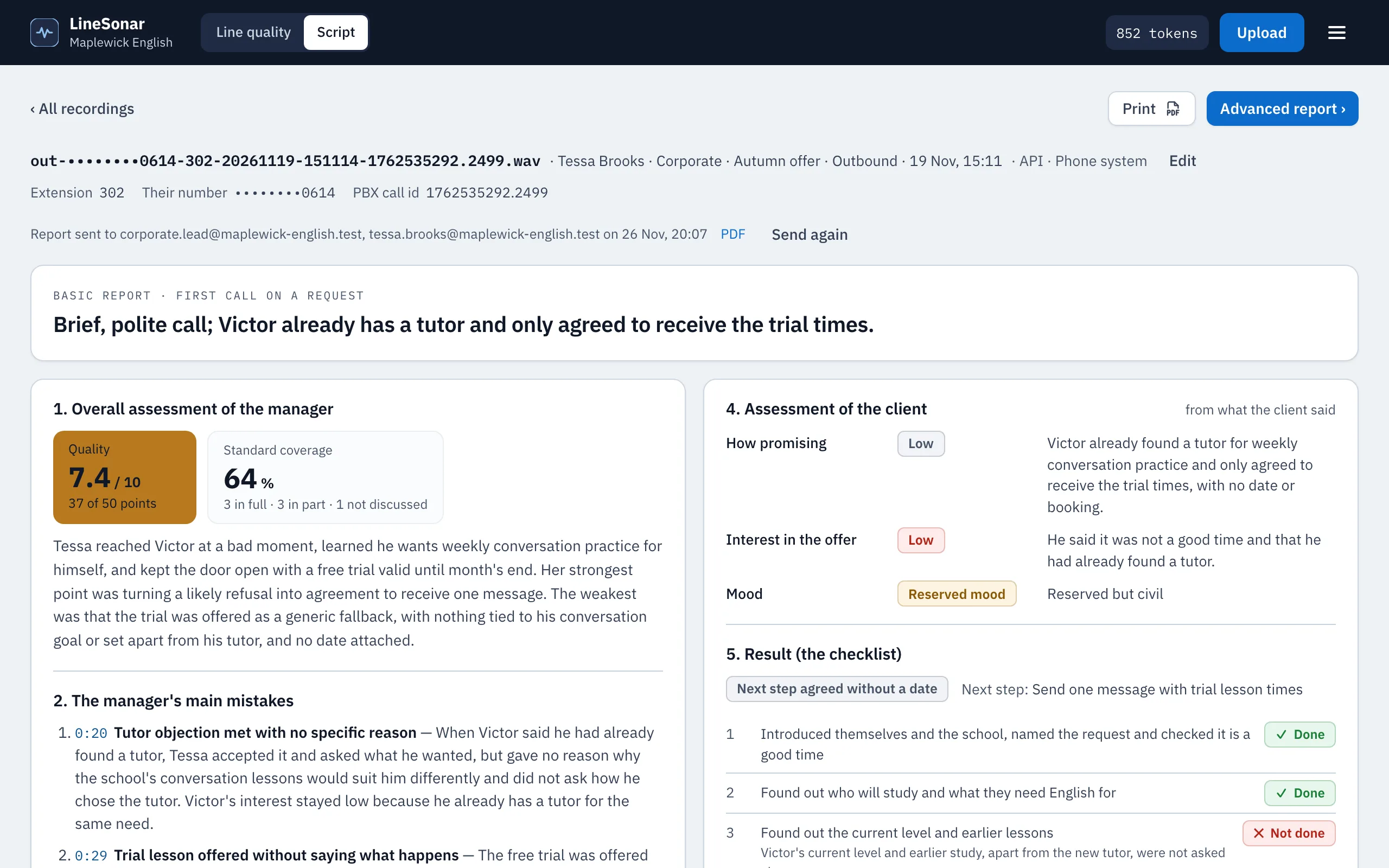
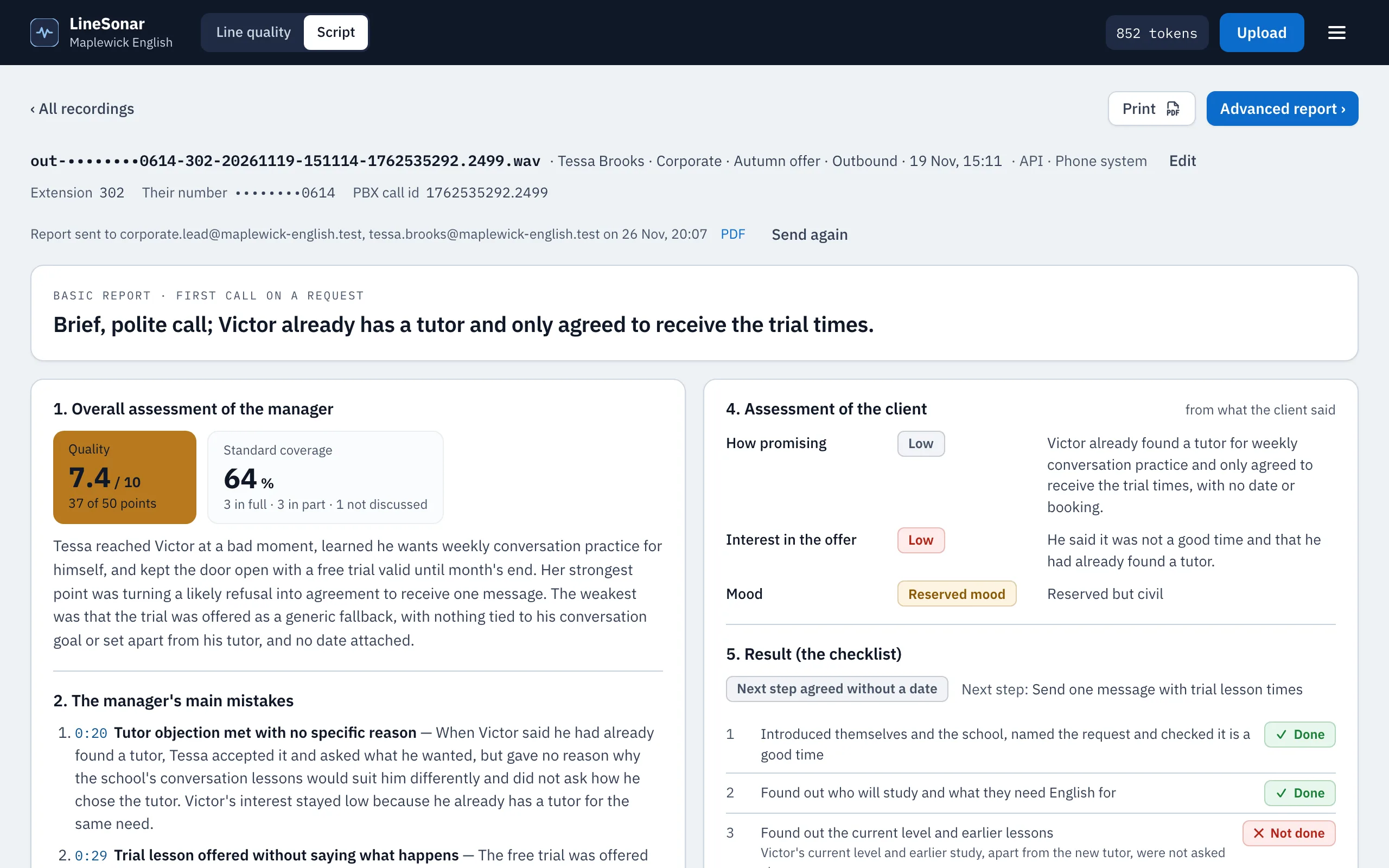
The first line sums up the call in one sentence.
-
Quality is the call’s score out of ten, from your playbook’s points. Standard coverage says how much of the checklist the manager covered.
-
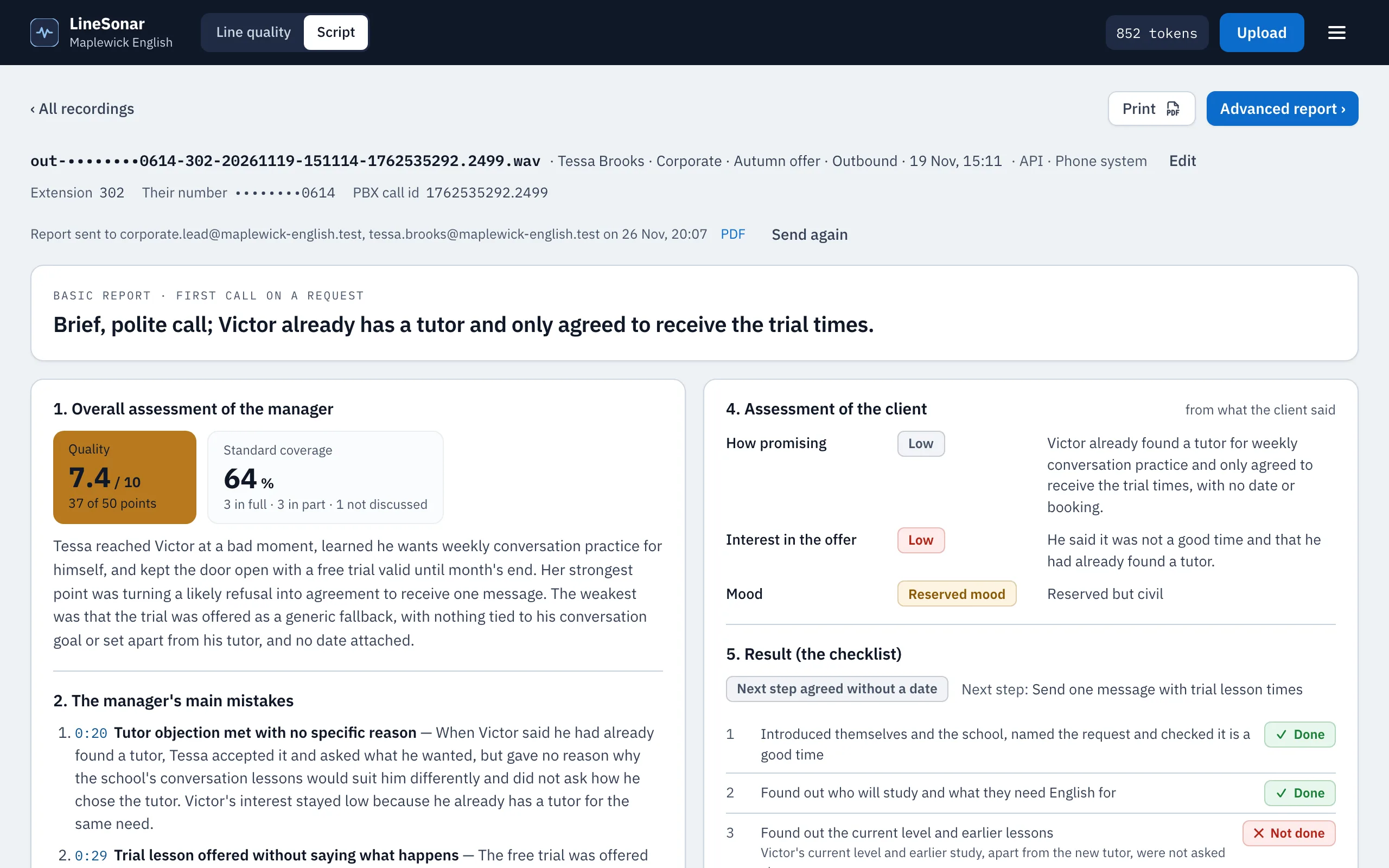
A mistake that happened at one moment of the call carries its time. Click the time to see that moment in the transcript.
-
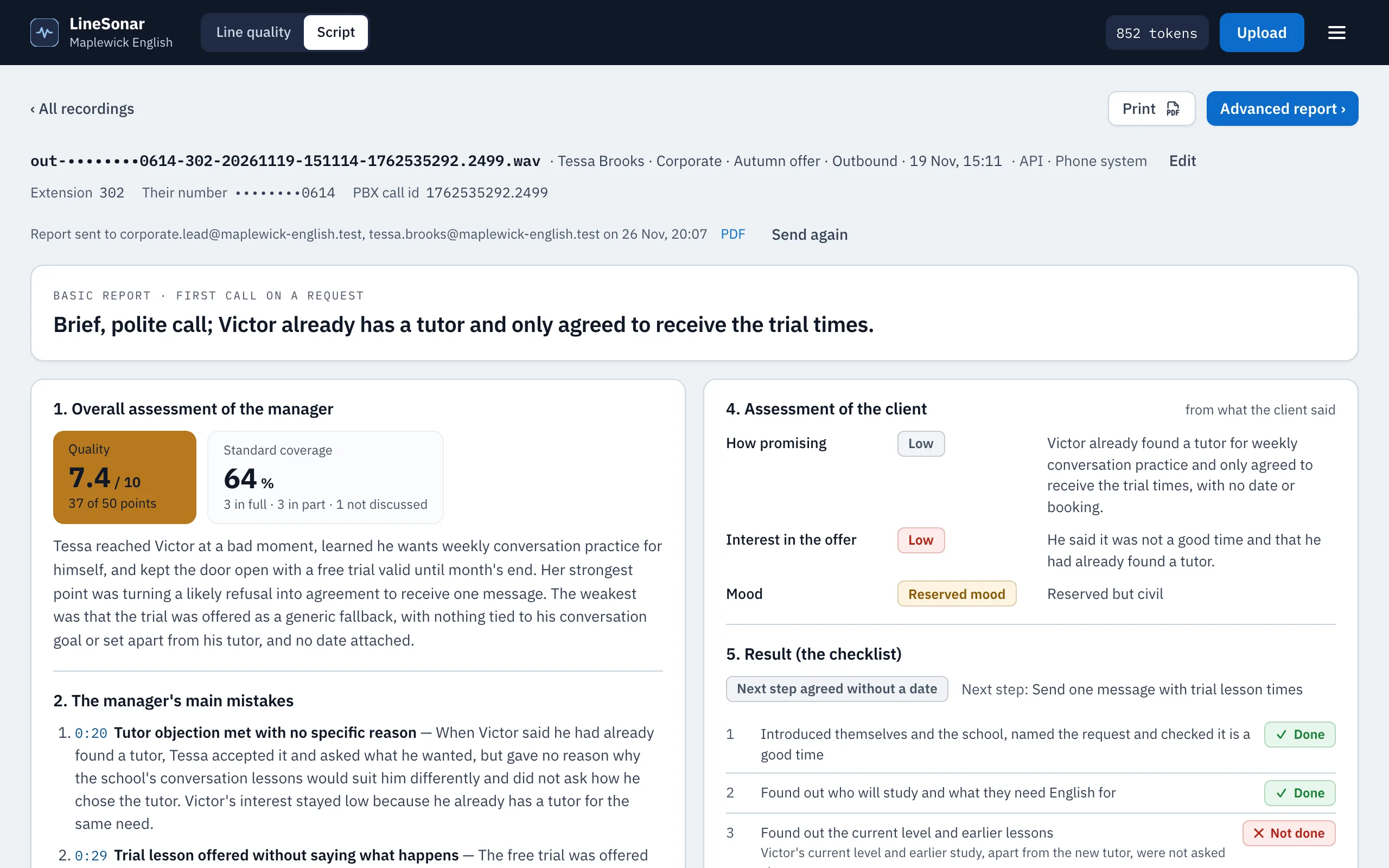
The checklist marks each item of your playbook: Done, Partly or Not done. An item that does not apply to the call says so.
-
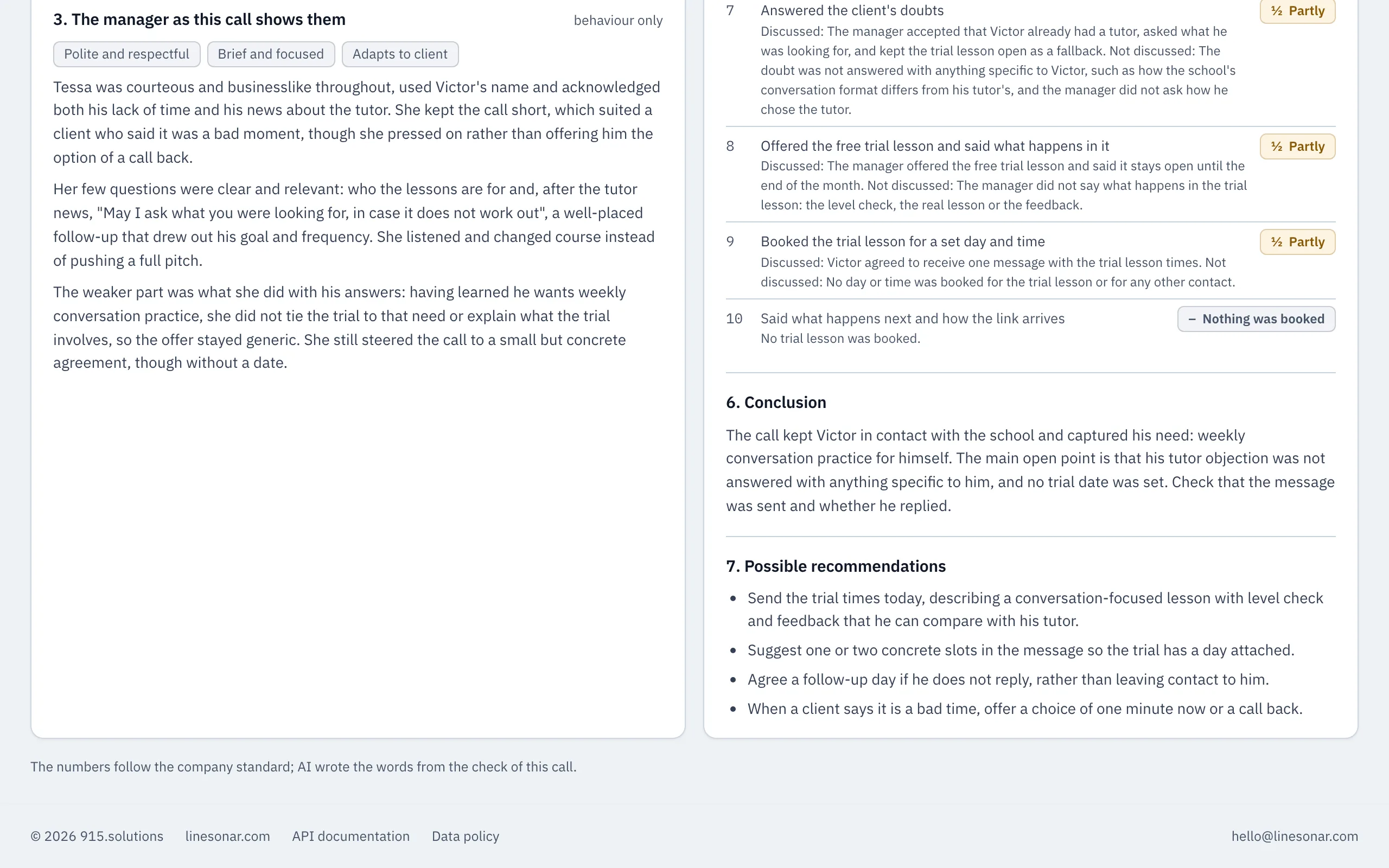
The conclusion and the recommendations close the report.
-
For every detail of the check, click Advanced report.
-
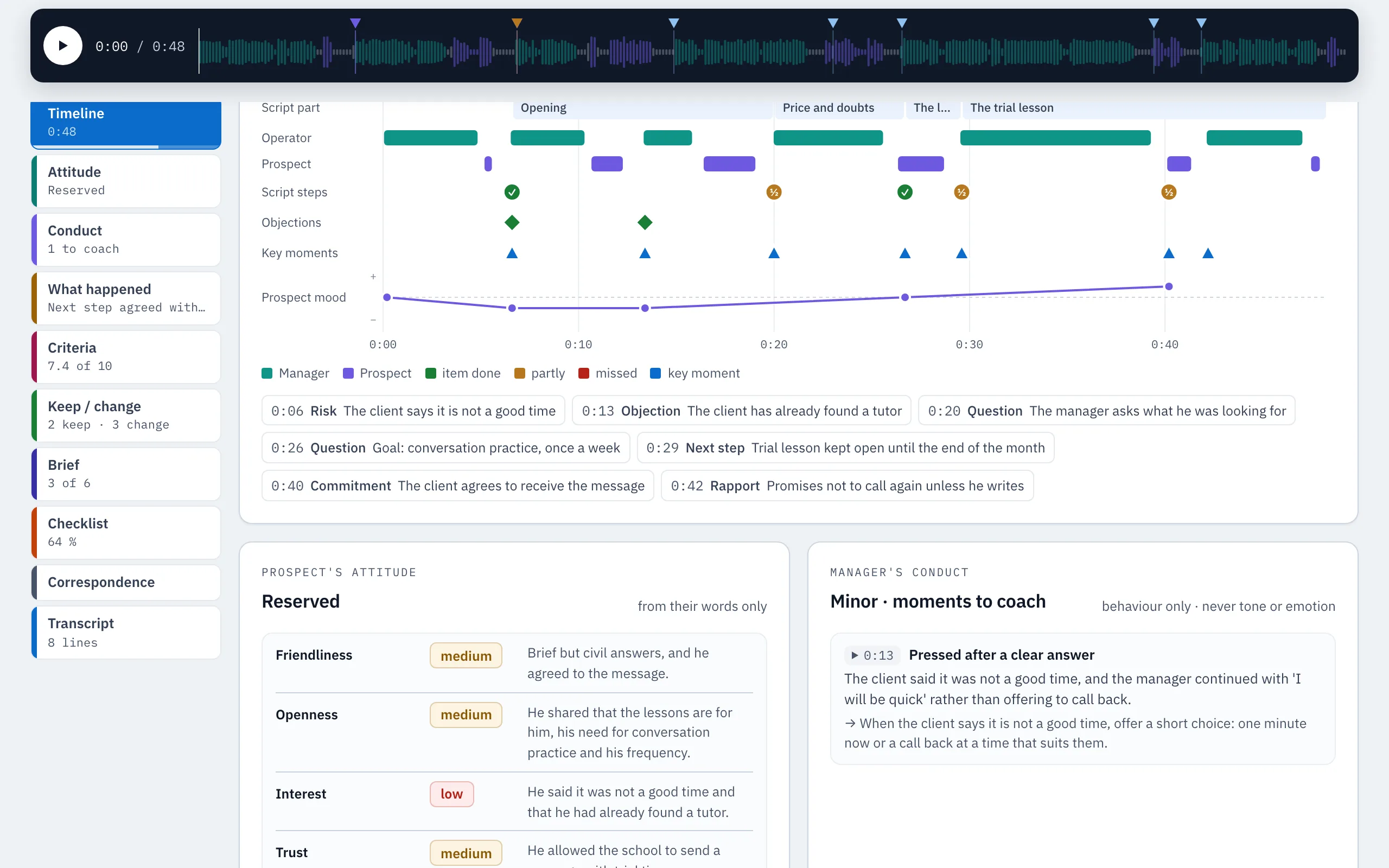
The Advanced report goes part by part: the timeline, the client’s attitude, the criteria, the checklist with the words behind each mark, and the transcript.
-
Basic report takes you back to the short version.