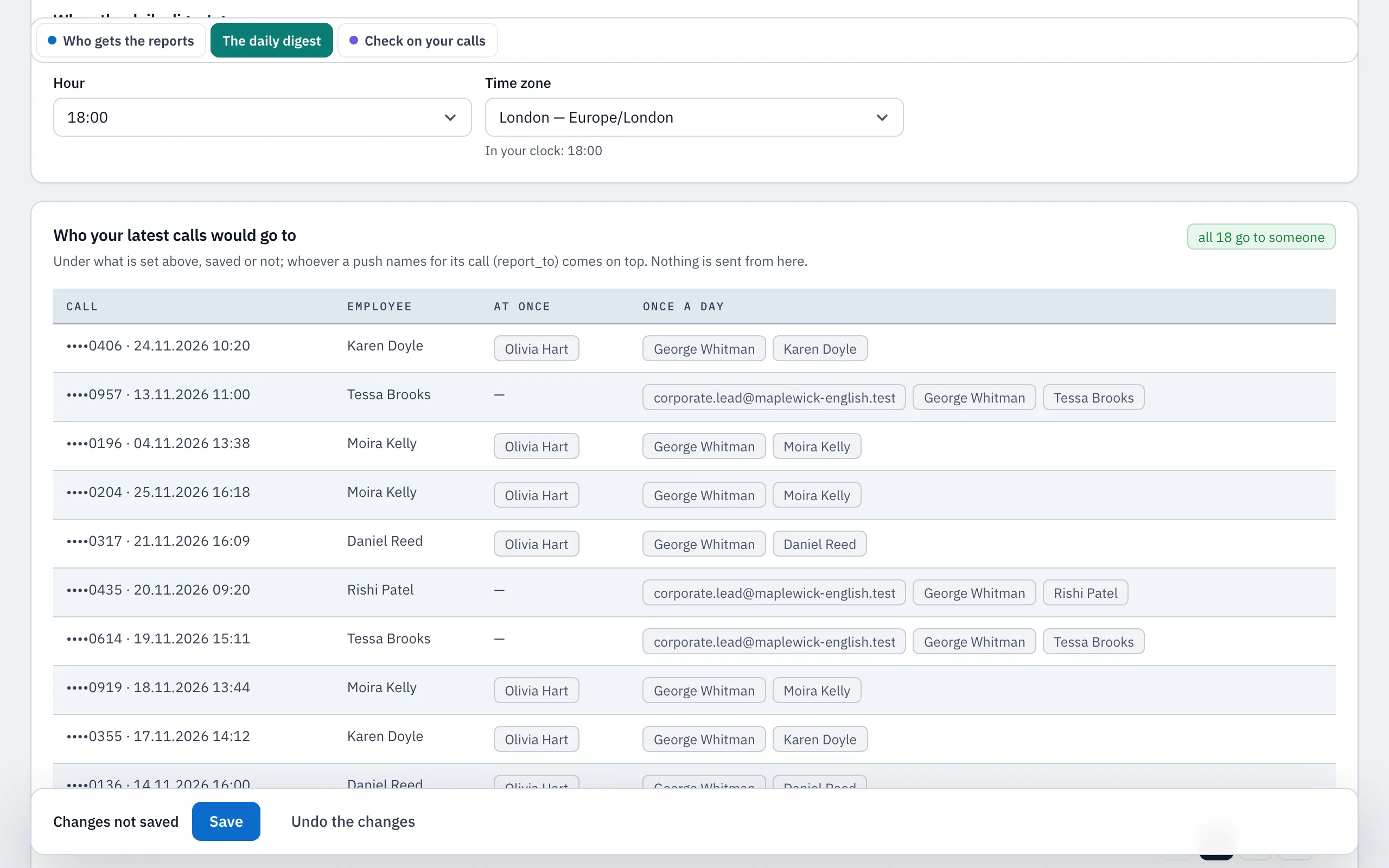
Choose who gets the report e-mails
Who gets a call’s report by e-mail, for which calls, and when.
- Watch
- Try it
The voice is generated. Subtitles are on; switch them off in the player.
Click the highlighted spot, as you would in the app. After the first click, the arrow keys work too.
Steps
-
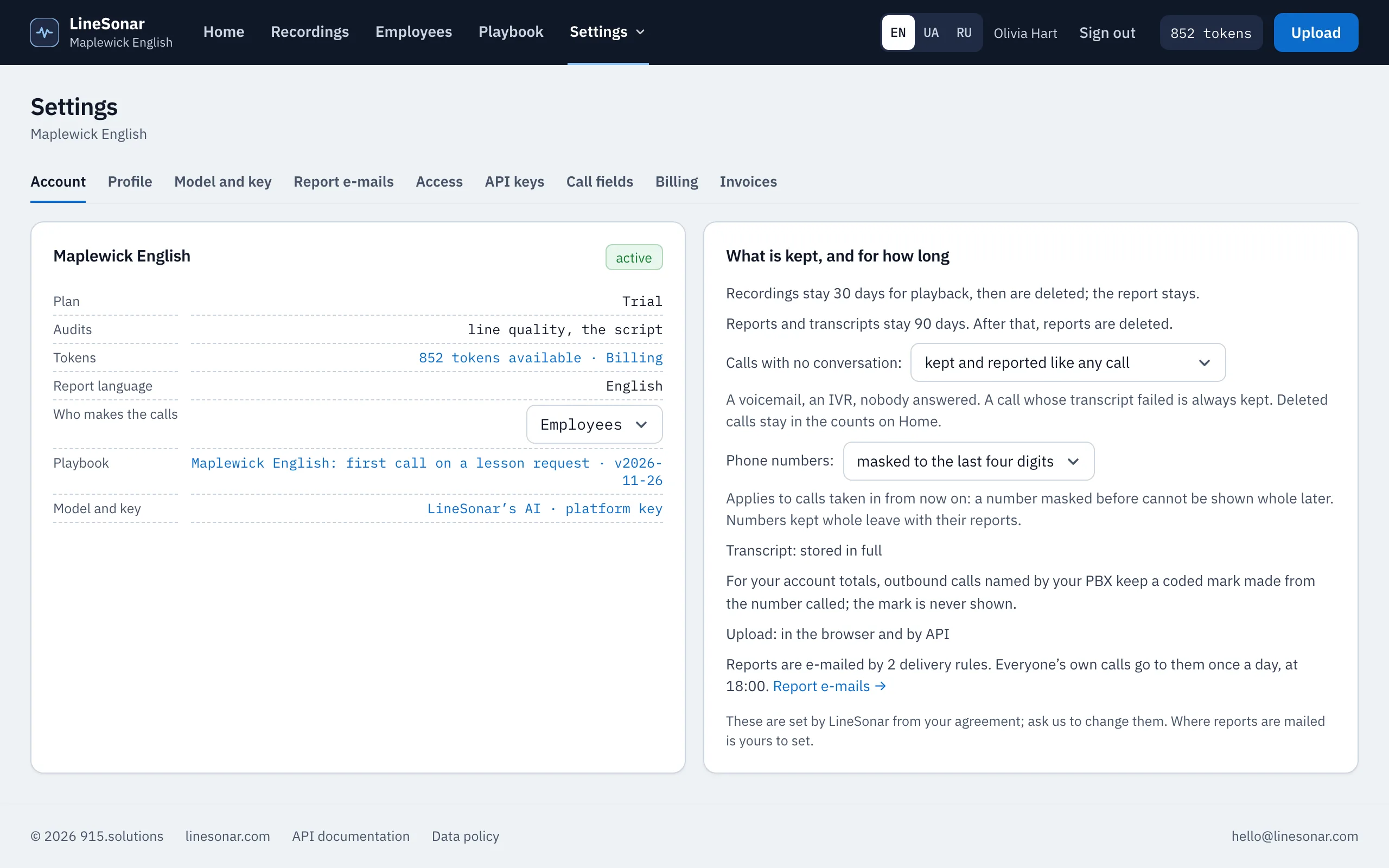
Open Settings, then Report e-mails. The owner or an administrator can change what is set here.
-
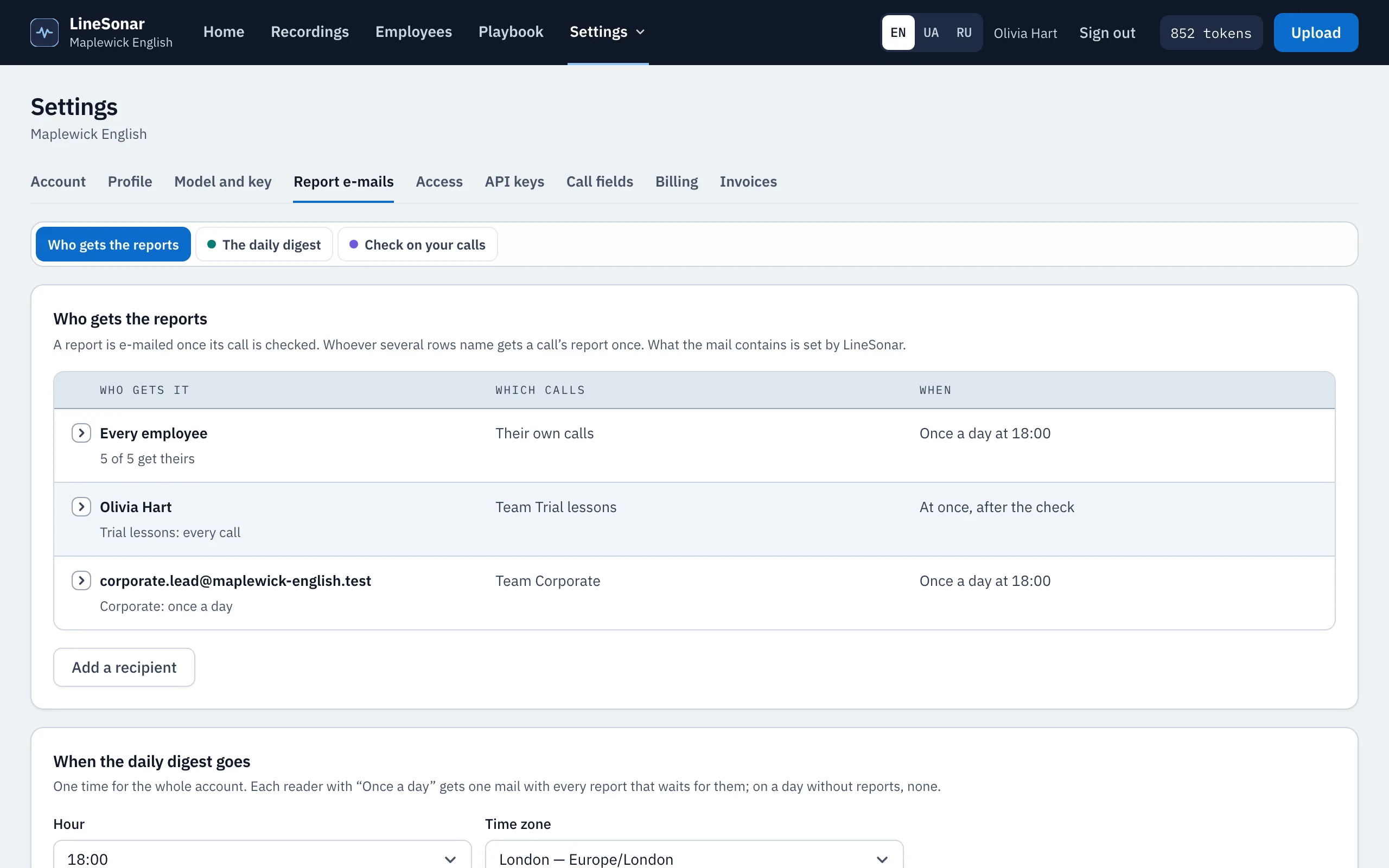
Each row says who gets the reports, which calls, and when.
-
To add one, click Add a recipient.
-
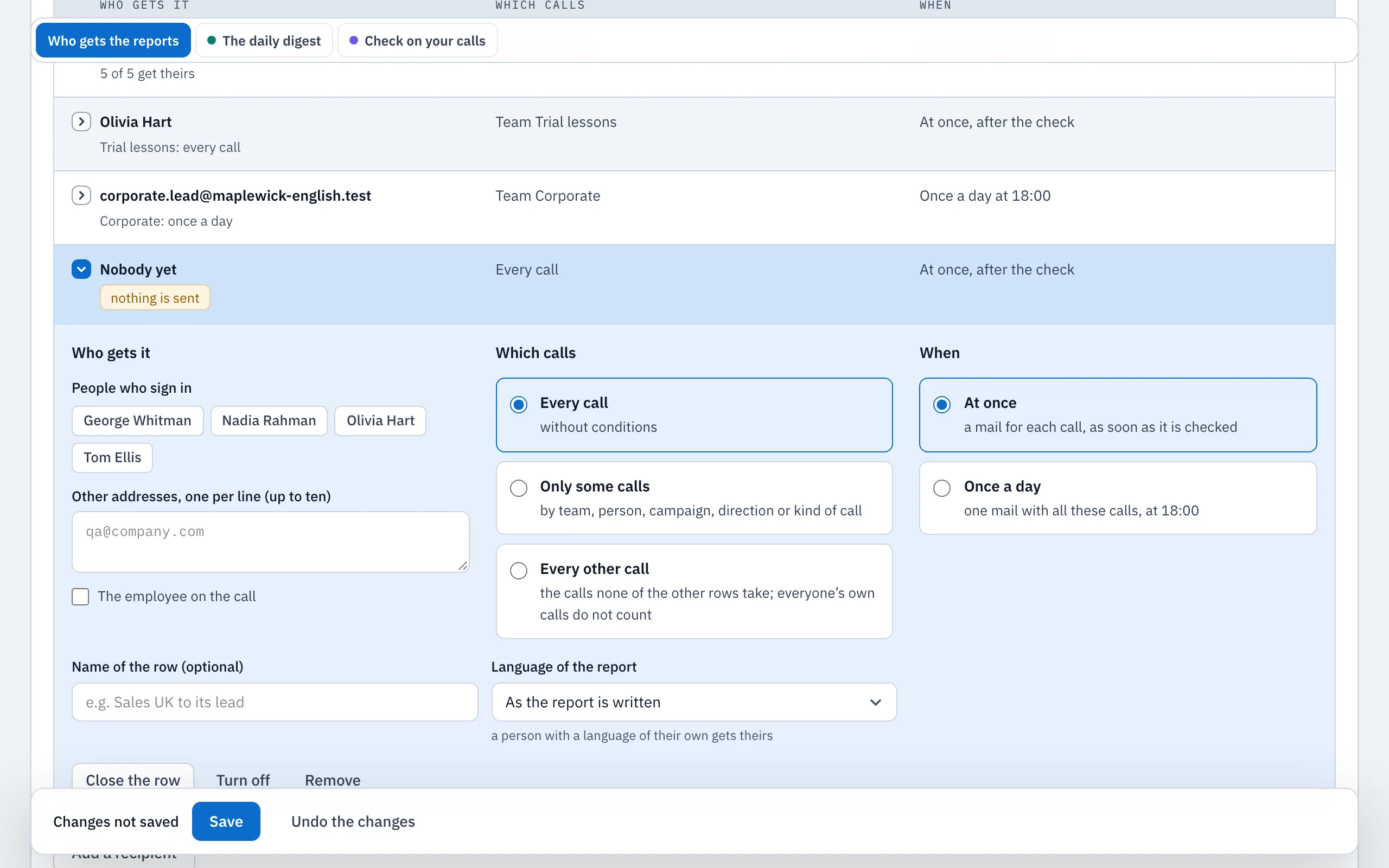
Pick who gets it: a colleague who signs in, or other addresses, one per line.
-
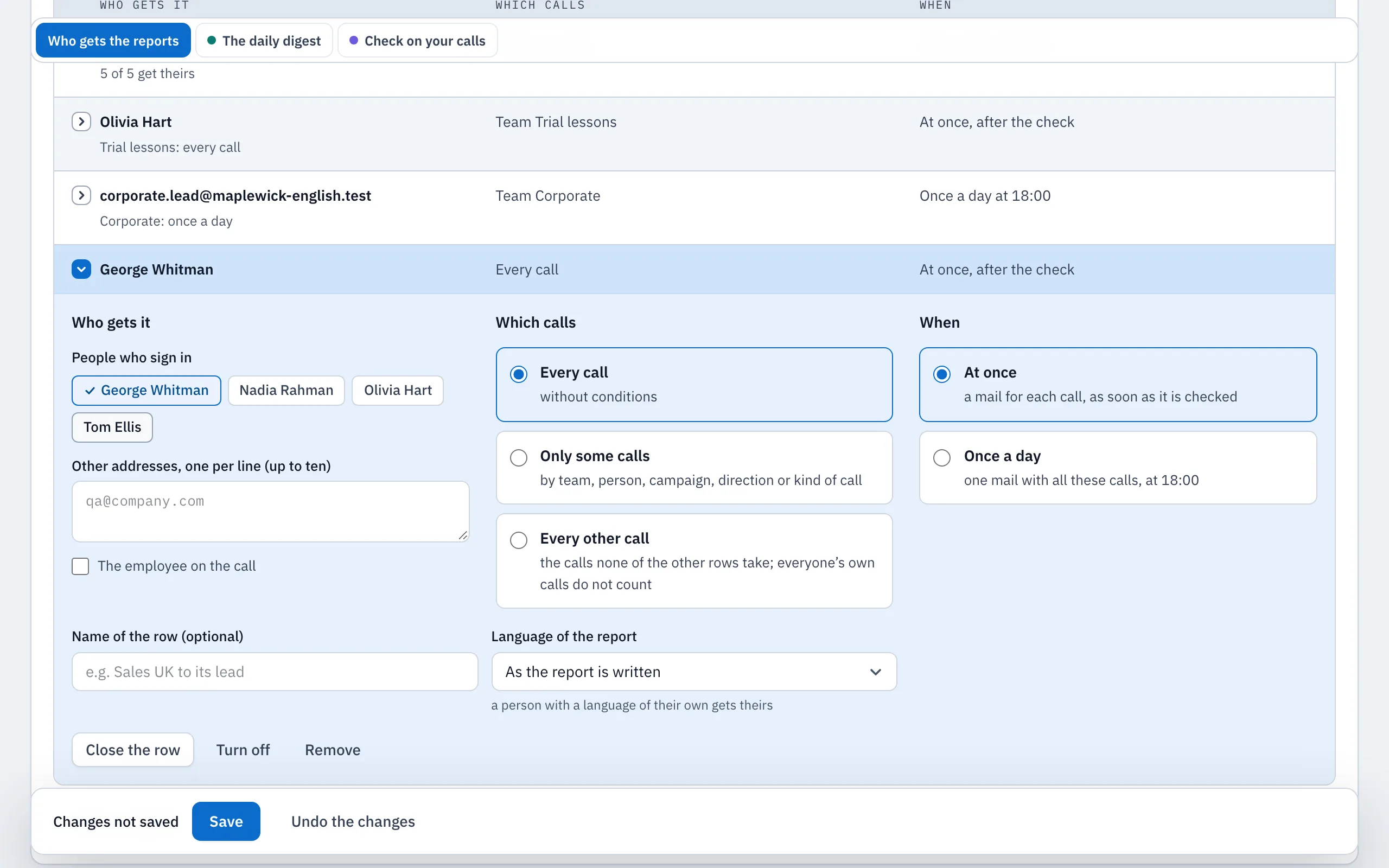
Choose which calls: every call, only some of them, or every call that no other row takes.
-
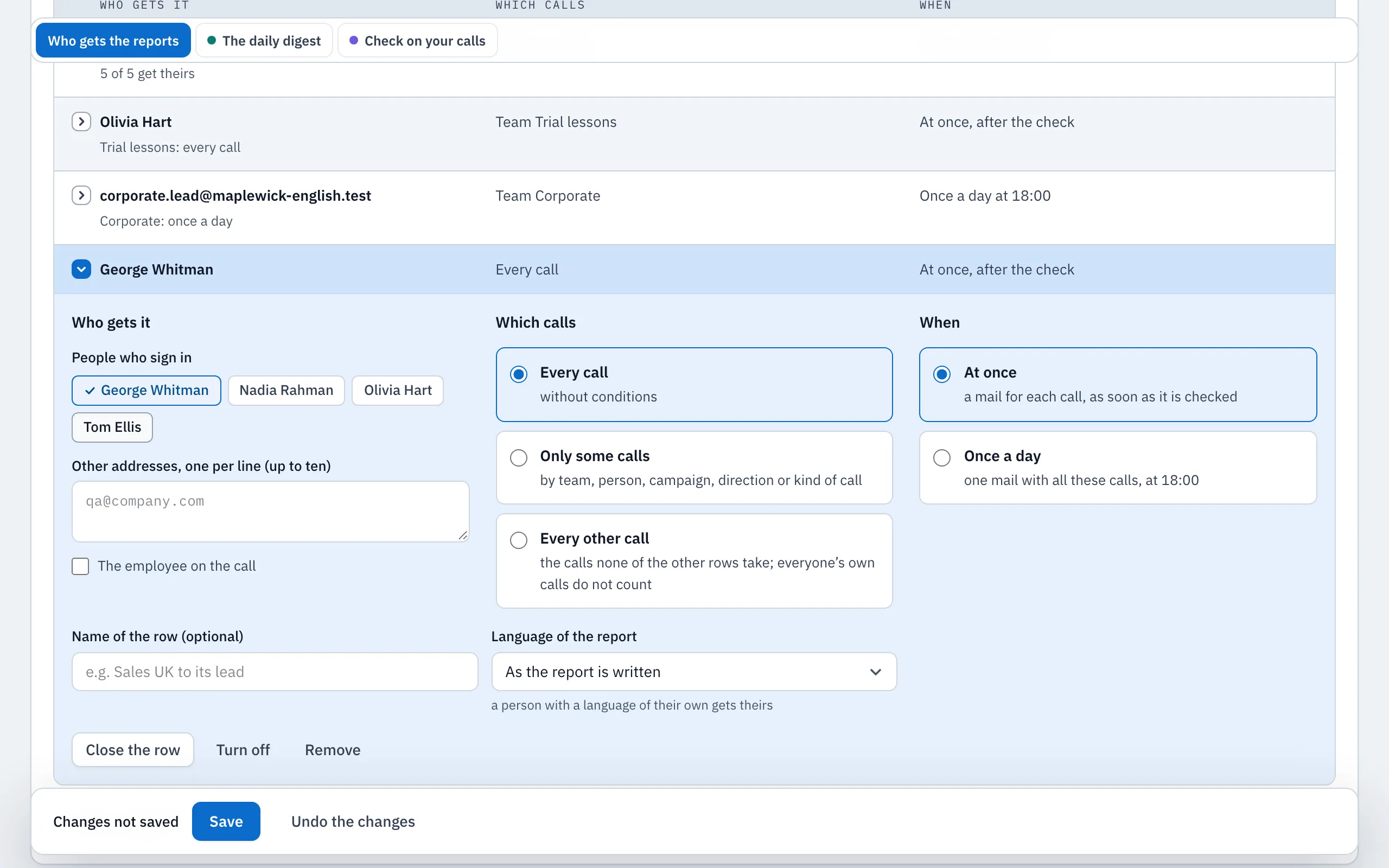
Choose when: at once, a mail for each call, or once a day, one mail with all of them.
-
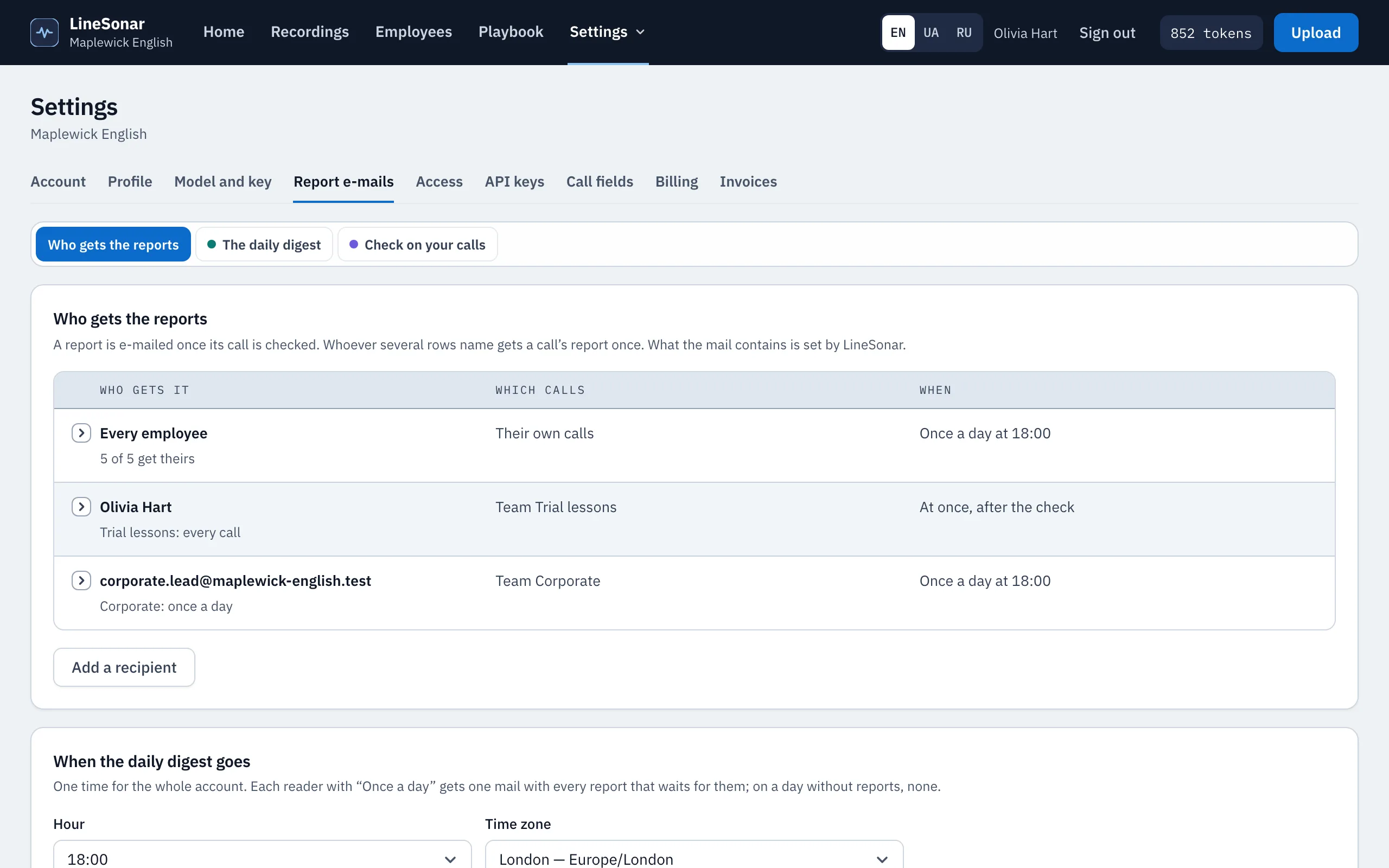
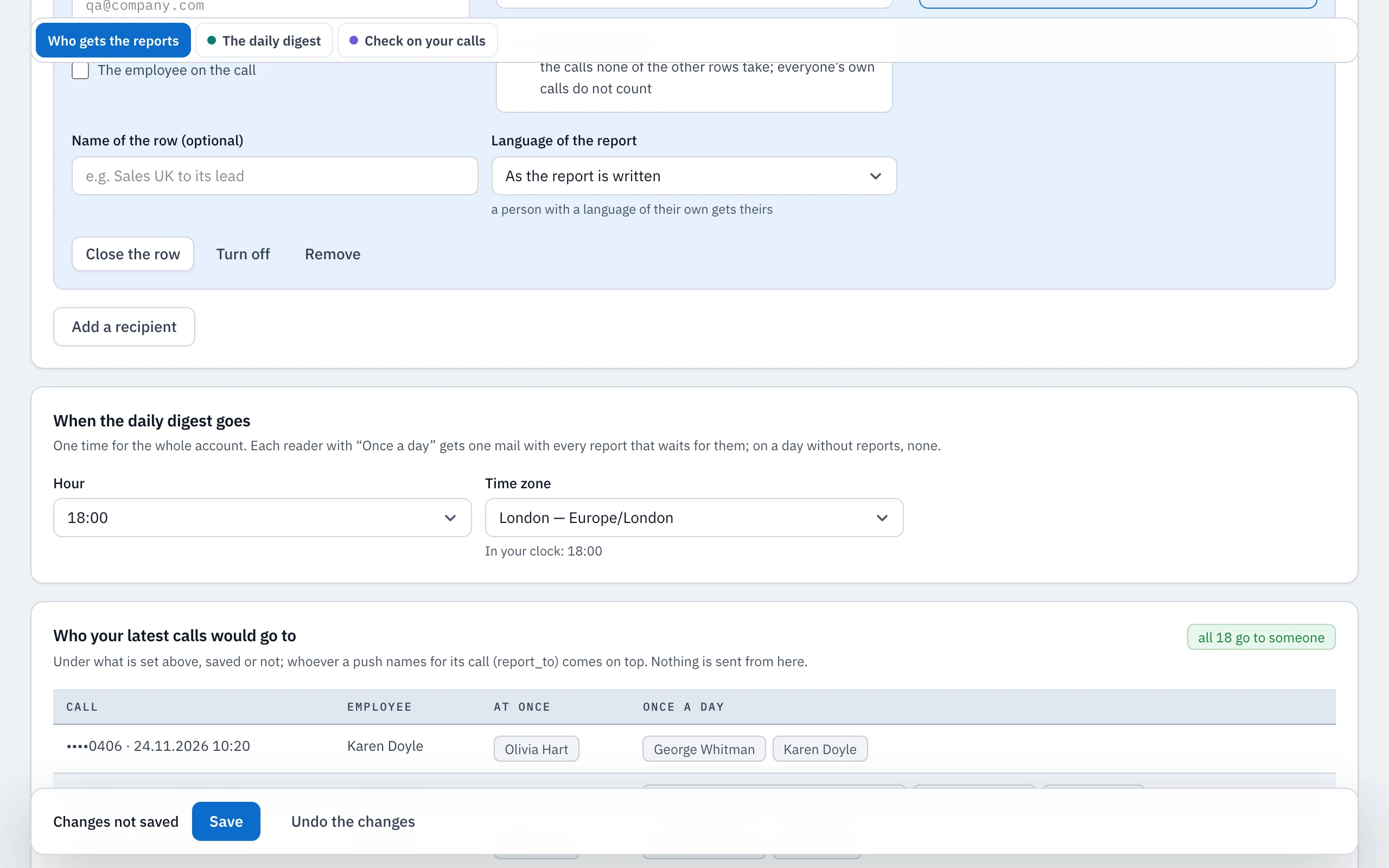
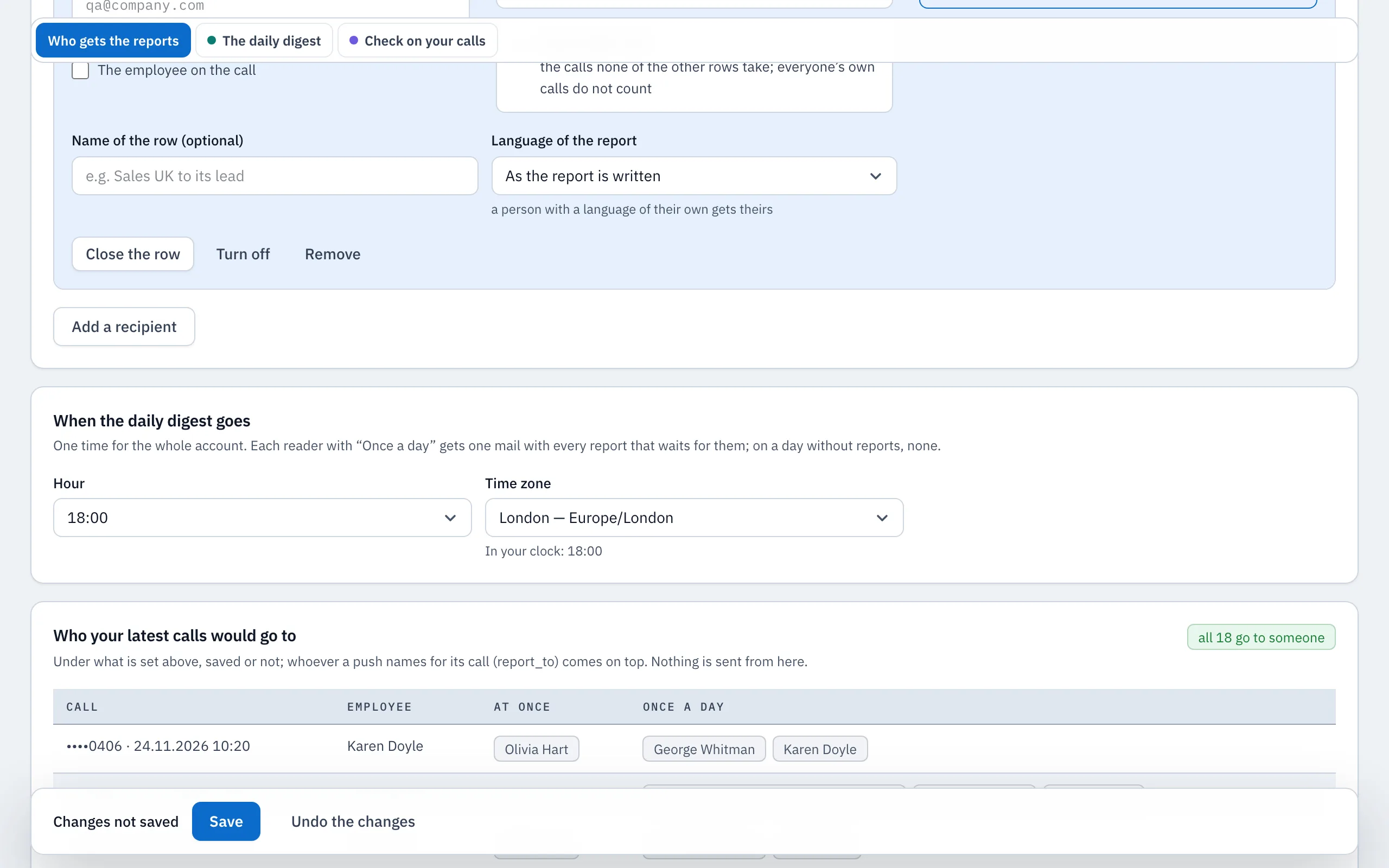
The daily digest goes at the hour set here, for the whole account.
-
Below, see who your latest calls would go to, under the rows as they are now, saved or not.
-
Click Save to keep the changes, or Undo the changes to put the rows back.